| Method | Description |
|---|---|
| Promote the installer to a channel | The installer is promoted to one or more channels. All releases on the channel use the kURL installer that is currently promoted to that channel. There can be only one active kURL installer on each channel at a time. The benefit of promoting an installer to one or more channels is that you can create a single installer without needing to add a separate installer for each release. However, because all the releases on the channel will use the same installer, problems can occur if all releases are not tested with the given installer. |
| Include the installer in a release (Beta) | The installer is included as a manifest file in a release. This makes it easier to test the installer and release together. It also makes it easier to know which installer spec customers are using based on the application version that they have installed. |
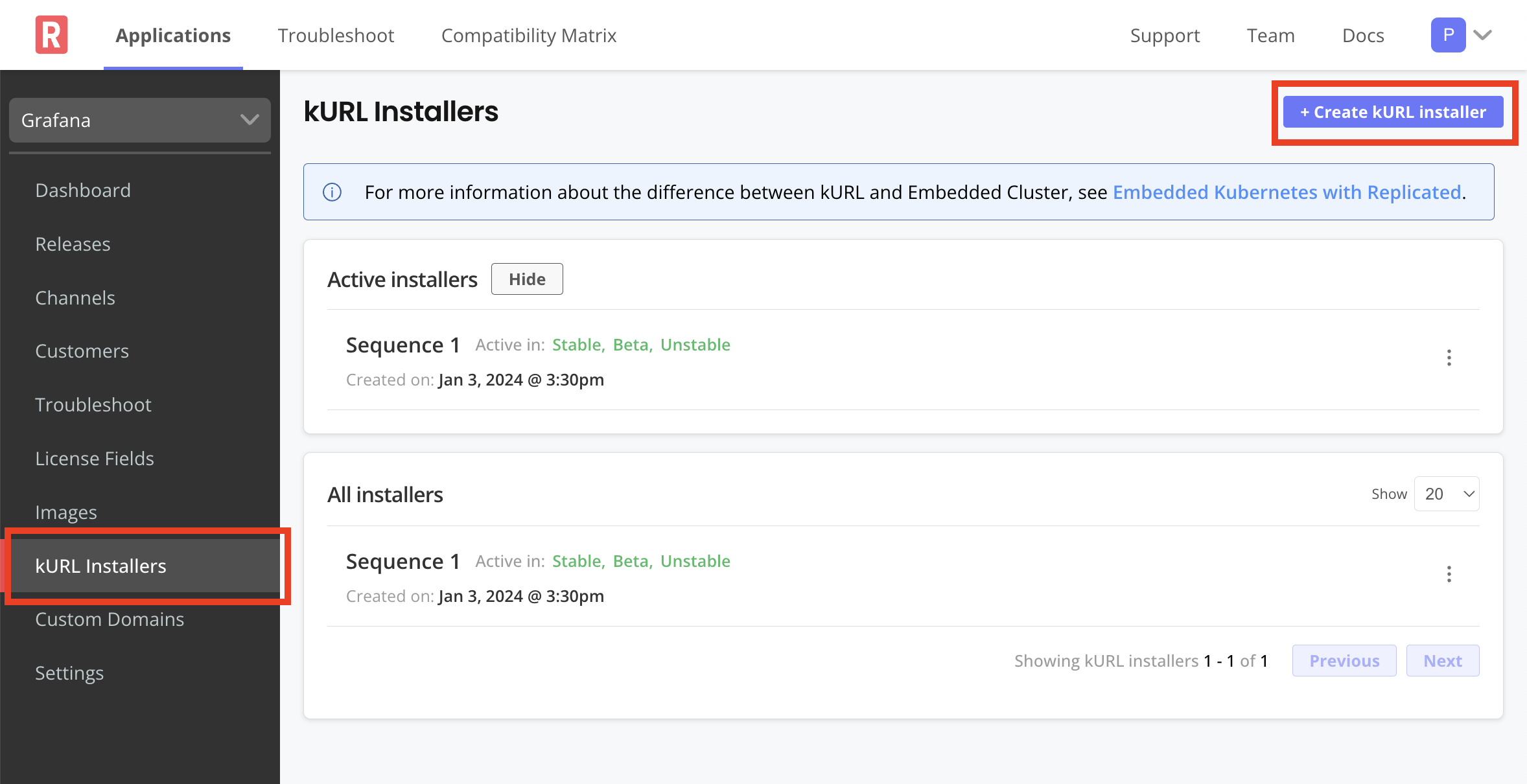 [View a larger version of this image](/images/kurl-installers-page.png)
1. Edit the file to customize the installer. For guidance on which add-ons to choose, see [Requirements and Recommendations](#requirements-and-recommendations) below.
You can also go to the landing page at [kurl.sh](https://kurl.sh/) to build an installer then copy the provided YAML:
[View a larger version of this image](/images/kurl-installers-page.png)
1. Edit the file to customize the installer. For guidance on which add-ons to choose, see [Requirements and Recommendations](#requirements-and-recommendations) below.
You can also go to the landing page at [kurl.sh](https://kurl.sh/) to build an installer then copy the provided YAML:
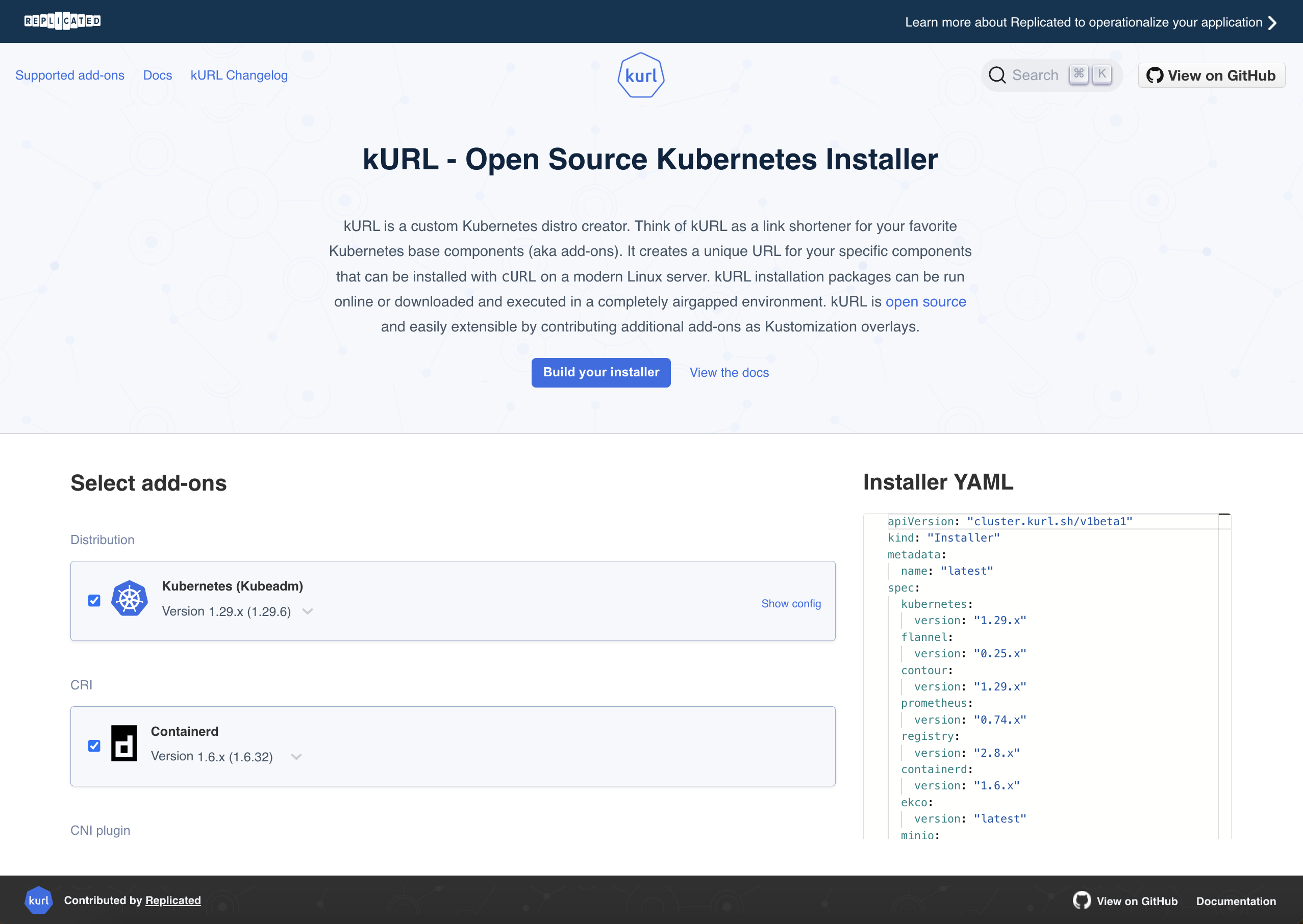 [View a larger version of this image](/images/kurl-build-an-installer.png)
1. Click **Save installer**. You can continue to edit your file until it is promoted.
1. Click **Promote**. In the **Promote Installer** dialog that opens, edit the fields:
[View a larger version of this image](/images/kurl-build-an-installer.png)
1. Click **Save installer**. You can continue to edit your file until it is promoted.
1. Click **Promote**. In the **Promote Installer** dialog that opens, edit the fields:
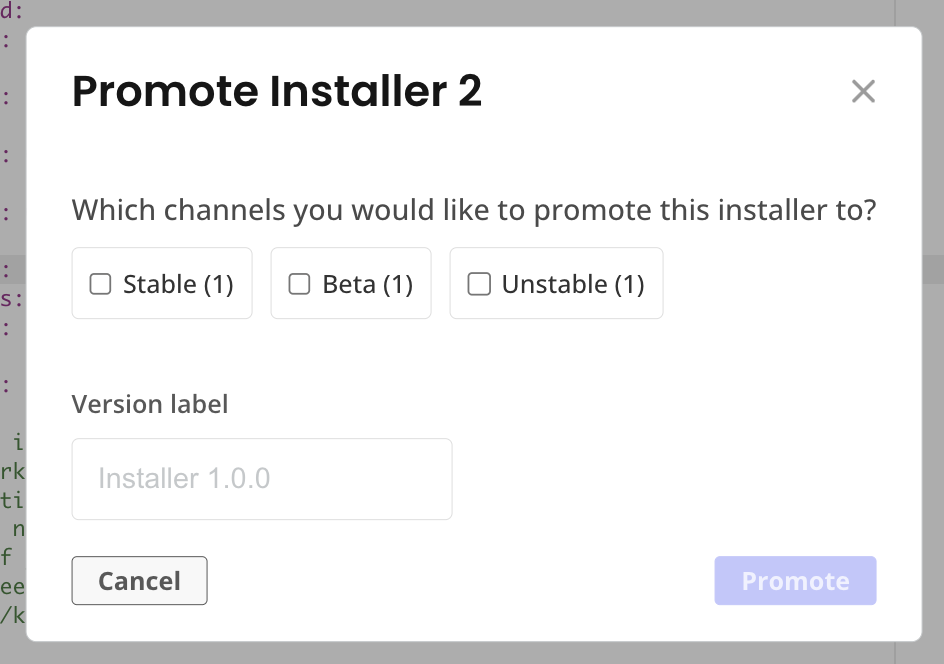 [View a larger version of this image](/images/promote-installer.png)
| Field | Description |
|---|---|
| Channel | Select the channel or channels where you want to promote the installer. |
| Version label | Enter a version label for the installer. |
[View a larger version of this image](/images/kurl-build-an-installer.png)
1. Click **Save**. This saves a draft that you can continue to edit until you promote it.
1. Click **Promote**.
To make changes after promoting, create a new release.
## kURL add-on requirements and recommendations {#requirements-and-recommendations}
KURL includes several add-ons for networking, storage, ingress, and more. The add-ons that you choose depend on the requirements for KOTS and the unique requirements for your application. For more information about each add-on, see the open source [kURL documentation](https://kurl.sh/docs/introduction/).
When creating a kURL installer, consider the following requirements and guidelines for kURL add-ons:
- You must include the KOTS add-on to support installation with KOTS and provision the KOTS Admin Console. See [KOTS add-on](https://kurl.sh/docs/add-ons/kotsadm) in the kURL documentation.
- To support the use of KOTS snapshots, Velero must be installed in the cluster. Replicated recommends that you include the Velero add-on in your kURL installer so that your customers do not have to manually install Velero.
:::note
During installation, the Velero add-on automatically deploys internal storage for backups. The Velero add-on requires the MinIO or Rook add-on to deploy this internal storage. If you include the Velero add-on without either the MinIO add-on or the Rook add-on, installation fails with the following error message: `Only Rook and Longhorn are supported for Velero Internal backup storage`.
:::
- You must select storage add-ons based on the KOTS requirements and the unique requirements for your application. For more information, see [About Selecting Storage Add-ons](packaging-installer-storage).
- kURL installers that are included in releases must pin specific add-on versions and cannot pin `latest` versions or x-ranges (such as 1.2.x). Pinning specific versions ensures the most testable and reproducible installations. For example, pin `Kubernetes 1.23.0` in your manifest to ensure that version 1.23.0 of Kubernetes is installed. For more information about pinning Kubernetes versions, see [Versions](https://kurl.sh/docs/create-installer/#versions) and [Versioned Releases](https://kurl.sh/docs/install-with-kurl/#versioned-releases) in the kURL open source documentation.
:::note
For kURL installers that are _not_ included in a release, pinning specific versions of Kubernetes and Kubernetes add-ons in the kURL installer manifest is not required, though is highly recommended.
:::
- After you configure a kURL installer, Replicated recommends that you customize host preflight checks to support the installation experience with kURL. Host preflight checks help ensure successful installation and the ongoing health of the cluster. For more information about customizing host preflight checks, see [Customize Host Preflight Checks for Kubernetes Installers](preflight-host-preflights).
- For installers included in a release, Replicated recommends that you define a preflight check in the release to ensure that the target kURL installer is deployed before the release is installed. For more information about how to define preflight checks, see [Define Preflight Checks](preflight-defining).
For example, the following preflight check uses the `yamlCompare` analyzer with the `kots.io/installer: "true"` annotation to compare the target kURL installer that is included in the release against the kURL installer that is currently deployed in the customer's environment. For more information about the `yamlCompare` analyzer, see [`yamlCompare`](https://troubleshoot.sh/docs/analyze/yaml-compare/) in the open source Troubleshoot documentation.
```yaml
apiVersion: troubleshoot.sh/v1beta2
kind: Preflight
metadata:
name: installer-preflight-example
spec:
analyzers:
- yamlCompare:
annotations:
kots.io/installer: "true"
checkName: Kubernetes Installer
outcomes:
- fail:
message: The kURL installer for this version differs from what you have installed. It is recommended that you run the updated kURL installer before deploying this version.
uri: https://kurl.sh/my-application
- pass:
message: The kURL installer for this version matches what is currently installed.
```